Beauty Blender Bounce: How to Tell If Yours Is Working Right
Photo by engin akyurt on Unsplash
Key Takeaways
A Beautyblender Bounce sponge controls product release, not bounce height. Press the damp sponge to your wrist before applying makeup. If it deposits a smooth layer without streaks or patchiness, the sponge is working.
Three seconds is all you need:
- Press the damp sponge to your skin—no tools required.
- Check for visible streaks, uneven patches, or makeup clogging the pores.
- If any of these appear, clean the sponge deeply, reshape it, and retest. Only replace it if clogged pores or streaks persist after proper care.
The real test isn’t bounce height—it’s how the sponge performs on your skin.
Part of our complete guide: for the full picture, see 25+ Free Procreate Makeup Brushes for Flawless Digital.
What ‘Bounce’ Actually Means for Your Beautyblender
Bounce measures control, not springiness. The sponge’s job is to absorb excess product and release just enough to blend smoothly without dragging.
A sponge that bounces too much often doesn’t absorb enough, forcing harder presses and wasting product. One that doesn’t bounce at all is usually oversaturated or broken down. The ideal sponge presses in smoothly and releases product evenly without scrubbing.
Forget height comparisons. The test is whether the sponge works with your skin. Does it press in smoothly? Does it release product without forcing you to scrub?
The 3 Signs Your Beautyblender Bounce Is Working (or Not)
Your sponge communicates through its performance. Here’s how to read it without tools.
First sign your sponge is in good shape: product releases smoothly on the first pass. Run it lightly over freshly applied foundation—no tugging, no skipping. Streaks or lines mean the sponge is clogged or too dry.
Second sign: a subtle give when pressed, but no wild flinging. Press the sponge to your wrist—it should compress evenly. Too much bounce means poor absorption. Too little means clogging or wear.
Third sign: edges fade, not just centers. Press the sponge where two colors meet. If the transition stays crisp, the sponge isn’t blending properly. Good blending means the color gradient should blur smoothly.
Red flag: you’re pressing harder for coverage. That’s strain on the sponge and uneven application. Press the sponge onto the back of your hand. If it leaves a visible imprint, it needs cleaning or replacement.
How to Test Your Beautyblender Bounce in 60 Seconds
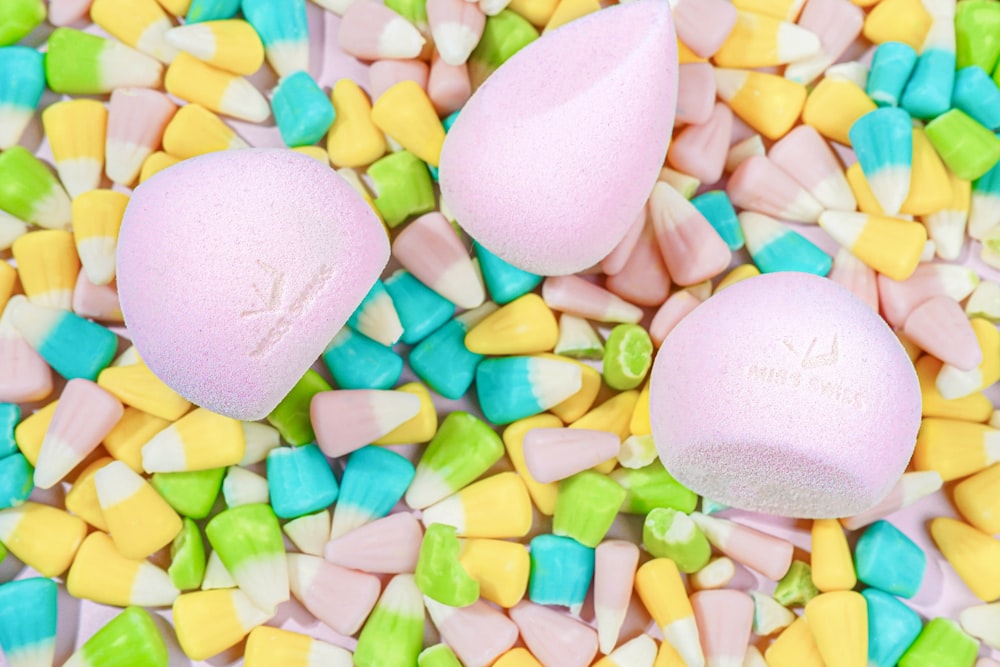 Photo by Ashley Piszek on Unsplash
Your sponge’s bounce measures control, not drama. A sponge that’s over-saturated or overloaded will give misleading results. This test removes guesswork in 60 seconds.
Step 1: Wet and wring
Wet the sponge under lukewarm water. Squeeze it out until damp but not dripping. Over-saturated sponges absorb too much product and hide their true condition. The sponge should feel soft and pliable, not waterlogged. If it resists light pressure or feels heavy, press it gently between two towels to expel excess water.
Step 2: Load lightly
Dispense a pea-sized dab of foundation onto the back of your hand. Tap the sponge on the product once or twice—just enough to coat the tip. Too much product drowns the test. You’re checking how the sponge releases what it holds, not aiming for full coverage.
Step 3: Press and observe
Place the sponge flat on the back of your hand. Press down firmly for two seconds, then lift straight up. Watch how the product transfers. Healthy bounce releases product smoothly onto your skin. Streaks or patches clinging to the sponge indicate clogged pores.
Step 4: Lift and inspect
After lifting, check both the sponge and your skin. Product should stay on your skin, not ride back up with the sponge. If more than a faint film sticks to the sponge, its pores are congested. A sponge in good shape lifts cleanly, leaving an even, barely-there layer behind.
Step 5: Repeat for consistency
Switch to a clean section of the sponge and repeat the press-and-lift. Sponges wear unevenly. If the second test shows streaks or uneven release, the sponge has hot spots—material breaking down and time for replacement.
What to watch for:
- Streaks mean clogged pores and uneven product release.
- Uneven release means the sponge’s structure is breaking down.
- Product riding back up means pores are over-saturated or worn out.
Run this test monthly or whenever makeup starts looking patchy. A sponge that passes this test in all spots delivers the smooth, controlled bounce that keeps your base flawless. If it fails any step, it’s time to replace it.
Why Your Beautyblender Bounce Fails (And How to Fix It)
Flawless Blending in 5 Minutes: The Pro Makeup Artist’s Brush System for Busy Creators — If your Beautyblender isn’t blending smoothly, a pro makeup artist’s brush system can save you time and frustration—no guesswork required. Includes 1 free bonus resources. master flawless blending in just 5 minutes
Your sponge isn’t supposed to act like a pogo stick. If it’s stiff, oversaturated, or leaves streaks, the issue isn’t the sponge—it’s maintenance. A sponge that doesn’t bounce isn’t broken; it’s starving, drowning, or clogged.
Stiff or Silent Sponge? It’s Probably Dehydrated
Press your sponge and get nothing back? That’s dehydration. Heat or long dry periods tighten the sponge’s pores and reduce its natural give.
Fix it fast: Soak the sponge in lukewarm water with a drop of mild soap for 10 minutes. Don’t wring—twisting damages the fibers. Reshape gently and air-dry flat. No heat sources. Once fully dry, test the press: it should spring back slightly, not feel like a rubber eraser.
This matters because a sponge that can’t absorb or release product evenly forces patting instead of blending—streaks follow.
Oversaturated? Your Sponge Is Drowning — Not Bouncing
Too much product turns your sponge into a slippery, waterlogged mess. Instead of bouncing back with control, it sloughs off foundation in puddles. If it feels mushy or leaves wet spots no matter how you press, it’s past its prime.
Before you toss it: Try a deep clean with a baking soda paste (equal parts baking soda and water) massaged in, then rinsed thoroughly. If cleaning doesn’t restore texture, replace it. Also reduce product load—a pea-sized dab of foundation is enough unless covering large areas.
Oversaturation isn’t just messy—it’s inefficient. You use more product to cover the same area, accelerating buildup.
Clogged Pores = Streaky, Patchy Coverage
Old makeup embeds in the sponge’s pores, blocking absorption and forcing product to sit on your skin. If streaks persist no matter how well you blend, the pores are congested.
Don’t scrub raw: Harsh scrubbing tears the structure. Use a dedicated sponge cleanser or the baking soda method. If streaks remain after cleaning, replace the sponge—especially if cleaning fails to fix the issue.
Prevent clogs faster: Rinse immediately after use to dissolve product before it sets. A 30-second rinse beats a deep clean later and keeps the sponge functional longer.
Keep Your Sponge Bouncing (Without the Drama)
The real magic isn’t the bounce—it’s the control your sponge gives you. A sponge that releases product evenly, adapts to your hand, and doesn’t fight you is worth keeping. But it needs care.
- Dehydrated? Soak, reshape, air-dry.
- Drowning? Clean deeply, then use less product.
- Clogged? Rinse after every use; replace when cleaning fails.
Follow these steps, and you’ll revive a failing sponge or extend its life—keeping your makeup flawless.
What to Check Before You Buy a New Beautyblender Bounce
 Photo by Inti Runa Viajero — source
Not all Beautyblender Bounce sponges perform the same. Pore density, material thickness, and edge shape dictate how well the sponge absorbs, blends, and holds up. Ignore marketing. Focus on what changes your experience. Use this checklist before you buy.
| Criterion | Why it decides the outcome | How to check it yourself | Red flag |
|---|---|---|---|
| Pore density | Determines absorption and blendability | Press gently—the sponge should hold product without dripping | Pores that feel flat or closed off |
| Material thickness | Affects durability and bounce feel | Compare thickness to your current sponge | Thin edges that tear easily |
| Edge shape | Sharp edges blend better; rounded edges are gentler | Run your finger along the edge—it should feel smooth but defined | Blunt, ragged edges |
| Packaging claim | Indicates intended use (liquid vs. powder) | Check if it’s labeled for foundation, concealer, or both | Vague or no usage instructions |
Start with pore density. A sponge that feels too dense won’t absorb foundation properly—it’ll smear it around. One that’s too loose soaks up liquid immediately and leaves you with a sopping mess. Press gently against your wrist: the right sponge holds product without dripping, neither clinging like cement nor releasing it all at once. If it drains fast, pores are too open. If it refuses to release anything, they’re too closed.
Next, run your fingers over the edges. Clean, defined edges blend smoothly; blunt or uneven edges leave streaks. If the edges feel rough or uneven, the sponge won’t give precision.
Material thickness is often overlooked but critical. Compare to your current sponge—if it’s thinner, especially at the edges, skip it. Thin areas tear quickly under pressure, leaving a useless lump.
Finally, trust the labels over colors. If the packaging doesn’t specify intended use (liquid vs. powder), it’s a gamble. A liquid-focused sponge will absorb powders poorly, and vice versa. Match the sponge to your routine—or you’ll replace it fast.
Check these four things before you buy, and you’ll get a sponge that works—no gimmicks, no wasted cash.
Frequently Asked Questions
What’s really happening when your sponge feels less bouncy?
The bounce isn’t magic—it’s a signal. A sponge that can’t absorb or release product evenly fights you every step. When streaks appear no matter how much you tap or how wet you keep it, or when the sponge repels product instead of blending it in, it’s time to replace it.
How often should I replace my Beautyblender Bounce?
Most sponges last 3-6 months with daily use, but it depends on how much you use, how you clean it, and how you store it. Replace it when streaks appear no matter how much you clean it, or when it feels stiff and unyielding even after a full clean. Don’t wait for it to fall apart—wait for it to betray you.
Can I use the Beautyblender Bounce with powder makeup?
Not all sponges work with powders. Powder demands a different structure—one that releases product lightly without gumming up. If your sponge is made for liquids and you press powder into your skin, expect clumping and streaking. Use a dedicated powder brush or a sponge labeled for powder instead. Forcing liquid-focused sponges with powders leads to poor performance.
Why does my sponge leave streaks even when it’s new?
New sponges can streak if not properly primed or if the product’s texture doesn’t match the sponge’s density. Dampen the sponge before use—a dry sponge drags product. If streaks persist, the product may be too thick for the sponge’s structure. In that case, the issue is the product, not the sponge.
Is the Beautyblender Bounce better than the original Beautyblender?
Better depends on your needs. The Bounce is engineered for controlled release, which can be useful for heavier products. The original’s open-cell structure excels for sheer, seamless blending. Choose based on your routine: one prioritizes control, the other prioritizes invisibility.
How do I store my Beautyblender to maintain its bounce?
Balance moisture and airflow. Store it in a well-ventilated container or lay it flat to dry completely between uses. Avoid sealed bags or drawers where moisture lingers. If in a hurry, use a mesh bag to keep dust out while allowing airflow. The key is to stay dry enough to prevent mold but never fully dehydrated—sponges need a little moisture to stay supple.
Final Thoughts
Your Beautyblender’s value isn’t in how high it springs—it’s in how well it moves product where you want it, without streaks or stubborn patches. That’s the real bounce worth celebrating: seamless blending that disappears into the skin.
If your sponge fails the 60-second test, don’t toss it immediately. Scrub it thoroughly—warm water, gentle cleanser, squeeze until the water runs clear. Let it dry completely before reuse; trapped moisture kills flexibility. Still stiff? Replace it. But don’t rush—most sponges give up before they’re truly dead.
Pair your sponge with the right formula. Thick, gloopy foundations clog pores faster than you can blend. Use lighter fluids or buildable creams instead. Clean it regularly—after every 5-7 uses, or when it starts looking like it’s wearing last month’s contour. A well-maintained sponge outlasts impulse replacements.
Looking to optimize your setup? Check out our guide on Beauty Blender Foundation: Choose the Right Sponge for deep dives on matching sponge types to formulas—because not all sponges handle matte liquids or full-coverage serums the same way.
Keep reading
Keep exploring the topic with these related guides:
- Real Techniques Beauty Blender: 7 Pro Tips for Flawless Blending
- Beauty Blender Foundation: Choose the Right Sponge
Next step: Ready to blend like a pro without the hassle? Try the system that’s trusted by makeup artists. upgrade to effortless, streak-free makeup application